
AI Blogs

AI Agents vs. Chatbots: What’s Actually Different and Which One Should You Use?

August 25, 2026
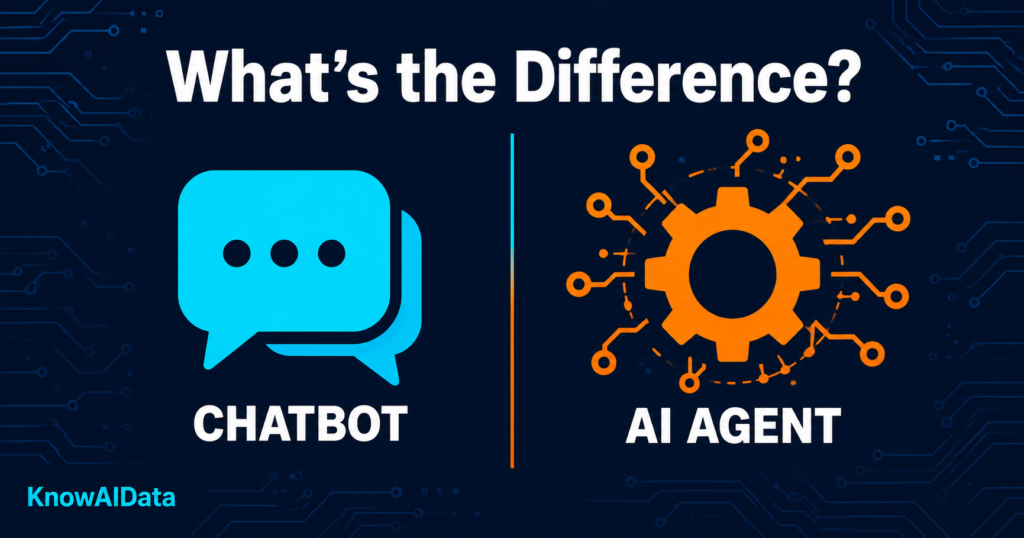
You’ve probably noticed that every AI product suddenly calls itself an “agent.” Google’s got agents. Anthropic’s got agents. Your project management app just added an agent. Meanwhile, you were perfectly happy with the chatbot that helped you draft emails. So what actually changed, and does it matter for you?
It does — but not in the way most explainers present it. The distinction isn’t really about how smart the AI is. It’s about whether the AI talks or acts. A chatbot resolves the conversation. An AI agent resolves the problem. That single shift changes what you can realistically expect from a tool, how much it costs, and where things can go wrong.
This post breaks down exactly what separates a chatbot from an agent, shows you real situations where each one shines or falls flat, and gives you a simple way to decide which one you actually need — without having to wade through vendor marketing.
What a Chatbot Actually Does (And Where It Stops)
A chatbot is, at its core, a question-answering machine. You type something in, it reads what you typed, pulls from its training data or a connected knowledge base, and writes back an answer. That’s the full loop.
For pure Q&A use cases where the goal is answering questions from a knowledge base, an LLM chatbot may be all you need. The limitation shows up when the user needs the system to do something: look up an order, create a ticket, process a refund, check inventory, or coordinate across multiple data sources. A chatbot can only suggest that the user take these actions themselves or escalate to a human.
That last sentence is the key one. A chatbot hands the work back to you. Every time.
This doesn’t make chatbots bad. For a huge chunk of real-world use — answering product questions, summarizing documents, drafting text, explaining concepts — the chatbot model is exactly right. It’s fast, cheap, and predictable. The problem is when companies dress up a chatbot as an agent and you expect it to do something, then wonder why nothing happened.
What an AI Agent Actually Does
An AI agent is an autonomous system that plans and executes multi-step actions to achieve a goal, while a chatbot is a conversational system that only responds to user prompts.
The operative word is executes. An agent doesn’t just suggest you file the ticket — it files the ticket. It doesn’t tell you your calendar is busy — it reschedules the meeting. It can look at what’s in front of it, decide what step to take next, use tools (APIs, databases, browsers, apps), and keep going until the task is done or it hits a wall it can’t pass.
The core difference is simple but decisive. A chatbot matches a question to an answer. An agent reasons about a goal, then takes real actions across your systems to achieve it: checking a record, updating an order, issuing a refund, booking a slot.
Here’s the catch: most tools sold as “AI agents” in 2026 are still retrieval systems that can do one or two basic lookups. True agents with real autonomy over multi-step workflows are still more common in enterprise software than in consumer apps. Check what a tool actually does before assuming “agent” means full automation.
Real Examples: Seeing the Gap in Action
The best way to understand this is to look at the same task handled by each.
Scenario: Customer asks “Where’s my order?”
- Chatbot: Reads the question, replies with general instructions on how to check order status, maybe links to a tracking page.
- Agent: Checks the shipping status, identifies delays, proactively contacts the carrier, updates the customer, and issues a discount code if needed — all without human intervention.
Scenario: You need to schedule a meeting with three people across two time zones.
- Chatbot: Tells you how to use Calendly or suggests times based on what you’ve told it. You do the work.
- Agent: Accesses your calendar, checks availability, sends invite requests, confirms the time, and adds it to everyone’s calendar.
Scenario: Research report on a competitor.
- Chatbot: Great at this. Summarizes what it knows, structures it clearly, works fast. This is chatbot territory.
- Agent: Would browse live sources, pull recent pricing, compare product pages, and compile findings — useful when recency matters, but slower and more expensive for something a good chatbot handles well.
The pattern is straightforward. If the task is information-based and self-contained, a chatbot is often the smarter choice. If the task requires touching external systems and completing steps without you babysitting it, you need an agent.
How Most Real Products Handle This in 2026
Most of what you’re actually using day-to-day isn’t purely one or the other. Most production systems in 2026 are not pure chatbots or pure agents. They are hybrid: a chatbot greets the user, classifies the intent, and either resolves the request itself or routes it to an agent that does the heavy lifting.
This is smart design, not a cop-out. Roughly 60 to 80 percent of inbound messages are FAQ-shaped and never need to reach an agent. Sending everything through an agent is wasteful — slower and pricier than it needs to be. The hybrid model routes simple stuff through the chatbot layer and escalates complex tasks to the agent layer. You get speed where you need speed and power where you need power.
When a product says it’s “agentic,” ask: what percentage of requests actually get handled by the agent layer? That’s the number that tells you whether the marketing label matches reality.
AI Agents vs. Chatbots: Head-to-Head
| Factor | Chatbot | AI Agent |
|---|---|---|
| Primary function | Answers questions | Completes tasks |
| Memory between turns | Usually none | Can carry context across steps |
| Uses external tools? | Rarely | Core capability |
| Takes action in other apps? | No | Yes |
| Best for | Q&A, drafting, explaining | Workflows, automation, multi-step tasks |
| Cost per interaction | Low | 3–10x more per resolved task |
| Risk of errors | Lower (just text) | Higher (actions have consequences) |
| Oversight needed | Minimal | More, especially early on |
Key Takeaways
- Chatbots are reactive — they answer questions. AI agents are goal-driven — they decide what to do next, interact with tools and systems, and continue working until the task is completed.
- If your task is fully information-based (writing, Q&A, summarizing, explaining), a chatbot will serve you faster and cheaper. Don't over-engineer it.
- The moment a task requires taking action in another system — booking something, updating a record, sending a message on your behalf — that's when an agent earns its cost.
- Always ask what tools an agent can actually access. An agent with no tool connections is just a chatbot with better branding.
- Start with oversight on. Let an agent propose actions before it executes them until you trust how it handles edge cases. Most platforms have a "confirm before acting" mode — use it.
What's Next for AI Agents
Gartner predicts that by 2028, at least 15% of daily work decisions will be made autonomously by AI agents, up from near zero today. That’s a real shift, but it’s also worth noting the timeline. We’re still early in agents being reliable enough for unsupervised use across complex workflows.
What’s happening now is the plumbing work: companies are building the integrations, the safety guardrails, and the pricing models that make agents practical for regular people — not just enterprise teams with dedicated AI engineers. The trend driving this in 2026 is lower model costs and wider agent rollout in daily products, which means agent capabilities are showing up inside tools you already use (email clients, project managers, CRMs) rather than requiring you to adopt something entirely new.
The next 18 months will matter less for technical breakthroughs and more for the boring work of making agents trustworthy enough that normal people can turn oversight off.
Conclusion
The difference between a chatbot and an AI agent comes down to one question: does it hand the work back to you, or does it finish it? Know which one you’re actually using, match it to the task at hand, and you’ll save both time and money. Start by auditing one repetitive workflow you do each week — if it crosses multiple apps, an agent might be worth testing there first.
Explore more AI guides and news at KnowAIData.
FAQs
Q1. Are AI agents replacing chatbots?
Not exactly — they’re expanding what’s possible. The line between LLM chatbot and AI agent is not always sharp. Adding a single tool to an LLM chatbot moves it toward the agent end of the spectrum. The distinction is more about degree of autonomy than a hard boundary. Most products will end up as hybrids, routing simple requests to a chatbot layer and complex ones to an agent layer.
Q2. Is ChatGPT a chatbot or an AI agent?
Both, depending on what you’re doing with it. When you’re just having a conversation or asking it to write something, it’s functioning as a chatbot. When you’re using it with tools enabled — web browsing, code execution, or connected plugins — it moves into agent territory for those specific tasks.
Q3. Why do AI agents cost more?
Each agent run uses more tokens — planning, tool calls, reflection — and longer context windows. The model has to reason through multiple steps, decide what to do, call external APIs, and check its own work. All of that adds up compared to a single-turn chatbot response.
Q4. What should I actually look for when a product claims to be an "AI agent"?
Ask three things: Can it access external systems beyond its own interface? Can it take actions, not just suggest them? Can it handle multi-step tasks without you re-prompting at every step? If the answer to all three is yes and you’ve actually tested it, it’s a real agent. If it’s one or zero, it’s a chatbot with a marketing upgrade.
Q5. Do I need an AI agent for personal productivity, or is a chatbot enough?
For most individual users today, a good chatbot covers 80–90% of needs. Agents are genuinely useful if you’re running repetitive multi-app workflows — say, pulling data from one place, processing it, and pushing it somewhere else automatically. If that doesn’t describe your use case, a chatbot is probably the right tool.