AI Blogs

What Are AI Agents? A Free Beginner’s Guide (2026)

September 2, 2026
What Are AI Agents, Exactly?
An AI agent is a software program that can take a goal, break it into steps, use tools to complete those steps, and keep going until the job is done — all without you guiding every move. That’s the key difference between an AI agent and a regular chatbot.
A chatbot answers one question at a time. An AI agent works more like a junior employee who can read your instructions once, then go off and handle the whole task. A normal chatbot responds to one prompt at a time, but an AI agent can understand a larger goal, divide it into smaller tasks, choose the right tools, carry out actions, check progress, and keep going until the work is complete.
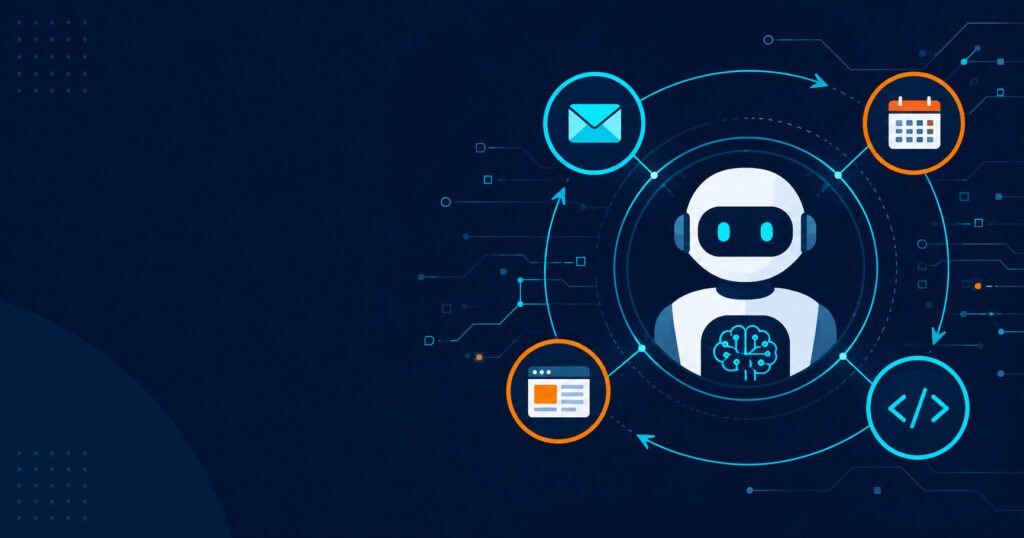
Here’s a concrete example. Ask a chatbot to follow up with a client, and it’ll write you an email draft. Give the same job to an AI agent, and it can check your calendar, draft a personalized message, and drop it into your outbox — ready for your approval.
How Do AI Agents Actually Work?
Under the hood, most AI agents run on a large language model (LLM) — the same kind of AI that powers ChatGPT or Claude. But the LLM is just the brain. The agent wraps it in a loop that keeps the task moving. The process works like this: the agent perceives the situation, reasons through the request using its LLM foundation, plans by breaking the goal into smaller actionable steps, and then acts by using connected tools — like sending an email or updating a spreadsheet — to execute those steps.
If the result doesn’t match the goal, the agent adjusts and tries again. If the outcome matches the goal, it finishes the task. If not, it updates its plan and tries again — and over time, stores context and outcomes to improve future performance.
This loop — perceive, plan, act, check — is what separates agents from simple automation tools. It’s also why they can handle tasks that have variables or unexpected steps along the way.
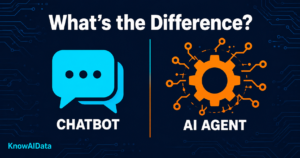
AI Agents vs. Chatbots: What’s the Real Difference?
This is the question most beginners actually need answered. Both use AI. Both can hold conversations. But they’re built for very different jobs.
The key differences come down to autonomy (agents act independently), tool use (agents interact with external systems), planning (agents break goals into subtasks), and persistence (agents can work on long-running tasks over time).
Think of a chatbot as a knowledgeable colleague you have to keep tapping on the shoulder for every next step. An AI agent is the one you hand a project to and check in with later. Neither is better in every situation — chatbots are faster for simple, one-off questions. Agents are for multi-step jobs where you’d otherwise be doing a lot of manual work yourself.
Key Features of AI Agents
AI agents in 2026 share a handful of core capabilities that make them genuinely useful:
Goal-based thinking — You give the agent an end result, not a step-by-step script. It figures out the path itself.
Tool access — Agents can use tools, browse the web, write and run code, send emails, interact with other software, and make decisions along the way without you having to guide each step.
Memory — Agents can store context from past interactions, so they don't start from scratch every time.
Self-correction — If a step fails or returns the wrong result, the agent notices and tries a different approach.
Multi-agent collaboration — In 2026, the standard is increasingly swarms of specialized agents working together — similar to a construction crew where different workers handle different parts of the job.
Pros
- Handles multi-step tasks without constant input from you
- Works across apps and tools (email, calendar, spreadsheets, web)
- Saves time on repetitive, structured workflows like research, scheduling, and data entry
- Free-tier options exist for most major platforms — no upfront cost to experiment
Cons
- Free tiers have real limits — usage caps, fewer tools, slower models
- Agents can make mistakes mid-task and sometimes don't catch them
Who Can Use AI Agents? Real Use Cases
You don’t need to be a developer to get value from AI agents right now. Here are real ways different people are using them:
- Students and researchers — Set an agent to search the web for sources on a topic, summarize each one, and compile notes. What used to take two hours can be done in a few minutes.
- Content creators and marketers — Use an agent to draft social posts, check competitor content, and schedule publishing — all from a single instruction.
- Small business owners — Agents connected to tools like Zapier can route incoming leads, update a spreadsheet, and send a welcome email automatically.
- Developers — Tools like Devin handle autonomous coding tasks, while Claude with computer use can automate desktop workflows — writing, testing, and running code in loops.
- Customer support teams — According to the Zendesk CX Trends Report 2026, 87% of CX leaders say agentic AI can dramatically improve the quality of each customer interaction — answering questions, escalating issues, and updating records without human involvement at every step.
Free AI Agent Tools to Start With
You don’t need to pay anything to try AI agents. Here are the best starting points for beginners in 2026:
| Tool | Free Tier | Best For |
|---|---|---|
| ChatGPT (GPT-4o) | Free plan with limits | General tasks, browsing, file analysis |
| Google Gemini | Free via Google account | Google Workspace users (Gmail, Docs, Drive) |
| Claude (Anthropic) | Free plan available | Reasoning, long documents, careful tasks |
| Zapier | 100 tasks/month, 5 Zaps | No-code workflow automation |
| AutoGPT / CrewAI | Fully free, self-hosted | Developers comfortable with code |
| Perplexity | Free tier | Research-heavy tasks |
For beginners, the best starting points are Claude and Zapier. For developers building production systems, LangChain and LangGraph remain the industry standard.
Google Gemini offers free access with native integration in the Google ecosystem — Gmail, Drive, Docs, and Calendar — making it particularly low-friction for users already working in Google Workspace.
How to Start Using AI Agents (No Code Required)
Getting started takes less than ten minutes if you pick the right tool.
Choose one platform from the table above — ChatGPT or Gemini are the easiest entry points with no setup.
Open the tool and give it a specific, bounded task. Don’t start with “run my business.” Start with “research three competitors in [industry] and summarize their pricing.”
Watch how it works through the task — this is the clearest way to understand what agents actually do.
Once you’re comfortable with simple tasks, connect an automation layer like Zapier to let the agent trigger actions across other apps.
Add one tool or integration at a time. Piling on complexity early makes it hard to spot when something goes wrong.
Conclusion
AI agents are the most practical shift in AI since chatbots went mainstream — and 2026 is the year they became genuinely accessible to everyone, not just developers. If you’ve been curious about them, the best thing you can do is pick one free tool and give it a real task this week. You’ll understand more from five minutes of hands-on use than from any amount of reading.
The difference between a chatbot and an AI agent comes down to one question: does it hand the work back to you, or does it finish it? Know which one you’re actually using, match it to the task at hand, and you’ll save both time and money. Start by auditing one repetitive workflow you do each week — if it crosses multiple apps, an agent might be worth testing there first.
Explore more AI guides and news at KnowAIData.
FAQ's
Q1. Are AI agents free to use?
Yes, several major platforms offer free tiers. ChatGPT, Google Gemini, and Claude all have free plans with real functionality, though they come with usage limits. Tools like AutoGPT and CrewAI are fully free if you’re willing to self-host them. For most beginners, the free tier on ChatGPT or Gemini is more than enough to start.
Q2. What is the difference between AI agents and chatbots?
Chatbots respond to one message at a time and don’t take actions on their own. AI agents can receive a goal, plan the steps needed to reach it, use connected tools (like email or web browsers), and keep working until the task is complete — without you directing every move.
Q3. How do I start using AI agents as a complete beginner?
The simplest starting point is ChatGPT or Google Gemini — both have free plans and don’t require any technical setup. Give one of them a specific, low-stakes task (summarizing a document, drafting an email sequence, researching a topic) and see how it handles multi-step work. That hands-on experience teaches you more than any explainer.
Q4. Can AI agents replace jobs?
Agents are automating parts of jobs, not whole jobs — at least for now. Roles built around repetitive decision-making, information gathering, data entry, and first-line customer service are being reduced or restructured. What agents are not replacing are roles that require genuine creativity, complex interpersonal judgment, physical presence, or novel problem-solving in unpredictable environments.
Q5. Do I need coding skills to use AI agents?
No. Platforms like ChatGPT, Google Gemini, and Zapier let you set up and run agents through a regular chat or visual interface. Coding knowledge helps if you want to build custom agents with tools like LangChain or AutoGPT, but it’s not required to start getting value from the technology today.