AI Blogs

Gemini Connected Apps: 13 New Integrations Explained (2026)

August 21, 2026
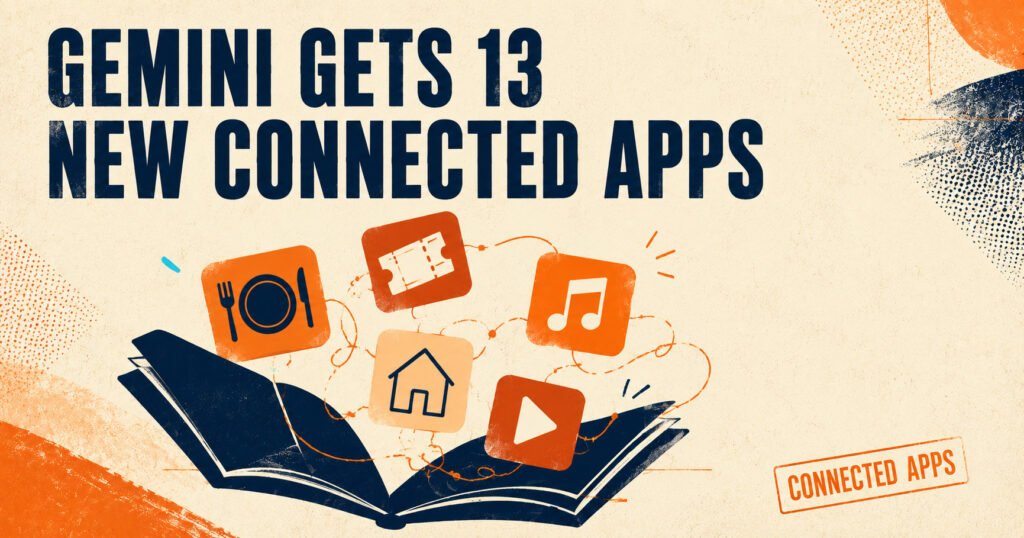
Google just gave Gemini a real reason to stop being “just a chatbot.” At its Made by Google event on August 12, 2026, the company announced 13 new Gemini connected apps, letting the assistant book a doctor’s appointment through Zocdoc, grab concert tickets on Ticketmaster, or summarize a meeting straight from Otter.ai — all without you opening a single other tab. If you’ve been asking what Gemini connected apps are and how to actually use them, this guide walks through the full list, the setup steps, and a few things Google’s announcement conveniently left out.
What Are Gemini Connected Apps?
Connected apps are Gemini’s version of account linking. You flip a switch for a service inside Gemini’s settings, hand over permission, and from that point on Gemini can act on that account when you ask — not just talk about it.
That’s a different job than answering a question. Ask Gemini for restaurant recommendations and it searches the web. Connect OpenTable and ask the same question, and Gemini can actually put a reservation on your calendar. The distinction matters because it’s the difference between an assistant that talks and one that does something with the answer.
Google says the Gemini app has now crossed 1 billion monthly active users, which is part of why the company keeps pushing further into this “act on your behalf” territory instead of stopping at search and summarization.
The 13 New Apps, by Category
Here’s the connective piece: none of these integrations exist in isolation, they’re grouped around the kinds of tasks people actually ask Gemini to help with — getting work done, making plans, and handling errands.
- Granola — Turns your raw meeting notes into something Gemini can summarize and act on directly inside a conversation.
- Otter.ai — Same idea as Granola but pulls from Otter's meeting transcripts instead of typed notes.
- Wix — Lets you ask Gemini to edit parts of your website without logging into the Wix dashboard separately.
- Fever — Surfaces local events and experiences Gemini can help you book.
- GetYourGuide — Books tours and local activities, useful if you're using Gemini to plan a trip.
- Localiza — A Brazilian car rental service; only useful if you're renting in Brazil.
- OpenTable (UK) — Books restaurant reservations, though Google's own post scopes this specifically to the UK. (OpenTable was already connected for US users before this announcement.)
- Ticketmaster — Searches and can help you buy event tickets.
- iHeartRadio — Streams radio stations through a Gemini request instead of opening the app.
- Pandora — Same idea, pulling from your Pandora playlists.
- Angi — Finds a home repair professional near you.
- Thumbtack — A second option for finding local service pros, similar territory to Angi.
- Zocdoc — Books a doctor's appointment through Zocdoc's provider network. Google notes this is Gemini's first healthcare-appointment connected app.
Key Features
One-conversation task completion — Instead of jumping between five apps to plan a Saturday, you can ask Gemini to find something fun nearby and book dinner after, all in the same thread.
Meeting-to-action pipeline — Granola and Otter.ai connections mean Gemini can read a meeting transcript and immediately act on next steps, not just summarize them after you paste text in manually.
Healthcare booking, for the first time — Zocdoc opens a category Gemini hadn't touched before: scheduling something as personal as a doctor's visit through a chat interface.
Gradual rollout, not a flip-of-a-switch launch — Google says the new apps are arriving "over the next few weeks," not all at once, so don't panic if your account doesn't show all 13 immediately.
How to Turn On Gemini Connected Apps
That’s what the feature does — here’s how to actually switch it on.
- Go to gemini.google.com and sign in with the Google account you want to connect.
- Open Settings & help at the bottom of the screen (or the menu icon on mobile).
- Click Connected Apps. If you don’t see it right away, look under Personal Intelligence first — Google nested it there for some accounts.
- Find the app you want and toggle it on. You’ll be walked through granting permission to that service.
- Check that Keep Activity is turned on at myactivity.google.com under Gemini Apps Activity. Without it, Connected Apps won’t fully load on web, iOS, or smartwatches, and only a handful of apps will work on Android.
- If you’re on a work or school account, your Workspace administrator controls which apps show up — some may be greyed out until they’re enabled on their end.
Turning an app off later is just as simple: go back to the same Connected Apps settings page and flip the toggle off. Worth knowing — disconnecting an app stops Gemini from using it in new conversations, but it doesn’t delete old chats that already pulled data from it. You’d need to clear those manually from your Gemini Apps Activity.
Advantages and Disadvantages
Pros
- Cuts down real app-switching for everyday tasks like booking dinner or finding a plumber
- Free to use — connecting an app doesn't require Gemini Advanced or a paid plan
- Covers a genuinely wide spread of daily needs: work, health, home repairs, entertainment
- Zocdoc's inclusion suggests more sensitive, high-value categories are coming next
Cons
- Several integrations are geography-locked out of the gate — OpenTable only works in the UK for now, and Localiza is Brazil-specific, so a lot of readers outside those regions will see the toggle but get limited use from it
- Google's announcement post says nothing about how data flows between these third-party services and Gemini, which matters more for Zocdoc (health) and Angi/Thumbtack (your home address) than for something like Pandora
- No exact rollout date beyond "next few weeks" — availability will vary by country, device, and account type
- Requires Keep Activity to be on, which some privacy-conscious users may have deliberately switched off
Use Cases
- Students juggling group projects — connect Otter.ai, ask Gemini to pull action items straight out of a recorded study session
- Freelancers running their own site — the Wix connection turns "can you fix the homepage copy" into something Gemini can do directly
- Frequent travelers — GetYourGuide and Fever together mean planning a weekend abroad happens in one conversation instead of six tabs
- Anyone who puts off doctor's appointments — Zocdoc removes a chunk of the friction that usually causes people to delay booking
- Homeowners dealing with repairs — Angi or Thumbtack means "find someone to fix my leaky faucet" gets you an actual booking, not just a search results page
Is Gemini Connected Apps Available in India?
Google hasn’t published a country-by-country rollout list for these 13 apps. Availability depends on where each partner service already operates — several, like OpenTable (UK-only for now) and Localiza (Brazil), are regionally limited from the start. Indian users should check their own Connected Apps settings page directly, since Google’s own support documentation confirms the list “varies by Gemini app, device, country, and more.”
Conclusion
Gemini’s push into connected apps is less about any single integration and more about where Google’s clearly headed: an assistant that finishes tasks, not just one that answers questions about them. Zocdoc’s inclusion is the detail worth watching — healthcare is a category assistants have mostly stayed away from, and Google just walked in. If you use Gemini daily, it’s worth spending five minutes in Connected Apps settings to see which of the 13 are live on your account. For more on what’s new across Gemini, ChatGPT, and the rest of the AI landscape, check out our full library of AI Guides on KnowAIData.